Icon of program: PhotoMirage

PhotoMirage for Windows

  • Trial version
  • 4
    66
  • 10.1K
  • V1.0
Download for Windows

View an ad to download for free

A photo manipulator that creates animations from still images

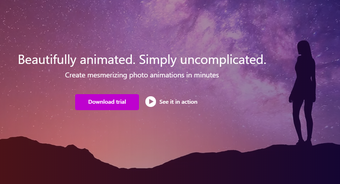
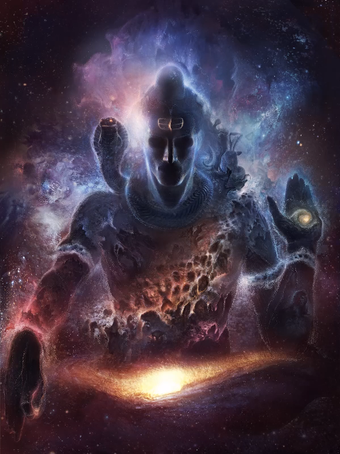
PhotoMirage allows you to take a section of your image and animate is. There are some very scary GIF animations that have gone viral that owe their creation to this tool. It can animate elements as small as having somebody’s eyes move, all the way up to making it appear to be raining in an image.

Unlock your creativity with Adobe Stock

Get 10 images or 1 video with a free trial

Manipulate your photo to create a movement effect

PhotoMirage allows you to select parts of an image so that you may overlap and repeat that part of the image. If you do this in a certain direction, such as from left to right, then it appears as if the photo has moving parts. The user interface includes a screen with very simple tools on the left and your image on the right. You identify an area of your photo with the tools on the left, and you select sections that look similar. The tool moves part of your image in the direction you indicate, and then repeats the image to replace the part that moved. On its own, this effect looks like something from a cartoon hallucination, but when you select a section of your image and apply the tool in numerous positions within the selection, your photo image starts to look like it is moving. This is not like a GIF creator where you layer different images and make them move; this is all done with just one image.

An odd marketing tool

PhotoMirage has some hobbyist uses, but its biggest successes have come from the producers of viral content marketing. Some people have built a following by publishing their animated images on their website and social media profiles, and some marketing companies have spread brand recognition by churning out animated images. The advantage that this tool has over GIF creators is that you can just use one image rather than many, and artistic images may be manipulated in a way that is far less expensive than layering multiple images.


  • Pros

    • A cheap way to create high-resolution artistic animations
    • Small file sizes make sharing your images far easier
  • Cons

    • Hobbyists may grow weary of the novelty
    • It takes practice to master the process
 0/4

App specs

  • Developer

  • License

    Trial version

  • Version

    1.0

  • Latest update

  • Platform

    Windows

  • OS

    Windows 8.1

  • Language

    English

  • Downloads

    10.1K

    Last month's downloads

    • 5
  • Size

    12.11 MB

Program available in other languages


Icon of program: PhotoMirage

PhotoMirage for PC

  • Trial version
  • 4
    66
  • 10.1K
  • V1.0
Download for PC

View an ad to download for free


User reviews about PhotoMirage

Have you tried PhotoMirage? Be the first to leave your opinion!

Add review

You may also like

Alternatives to PhotoMirage

Explore Apps

Latest articles

Laws concerning the use of this software vary from country to country. We do not encourage or condone the use of this program if it is in violation of these laws.
Softonic

Is PhotoMirage safe?

100/100

Score result: Clean

This file passed a comprehensive security scan using VirusTotal technology. It is safe to download.

  • Virus free
  • Spyware free
  • Malware free
  • Verified by Security Partners

    VirusTotal logo

Scan Info

Last scan
Tuesday, November 21, 2023
Scan provider
VirusTotal · Full report

File Integrity

File
PhotoMirageInstaller.exe
SHA256
859e76af07e737b4d5309a6798807014ac60a44be350004836a56b6064a5b57f
SHA1
324a6ec8b9441e112b82f6d7b262a5312b732277

Softonic security commitment

PhotoMirage has been thoroughly scanned by our advanced security systems and verified by industry-leading partners. This file comes from the official developer and has passed all our security checks, showing no signs of viruses, malware, or spyware. For more information, visit our Security and Trust Center

Signed in to Softonic as